Location Management
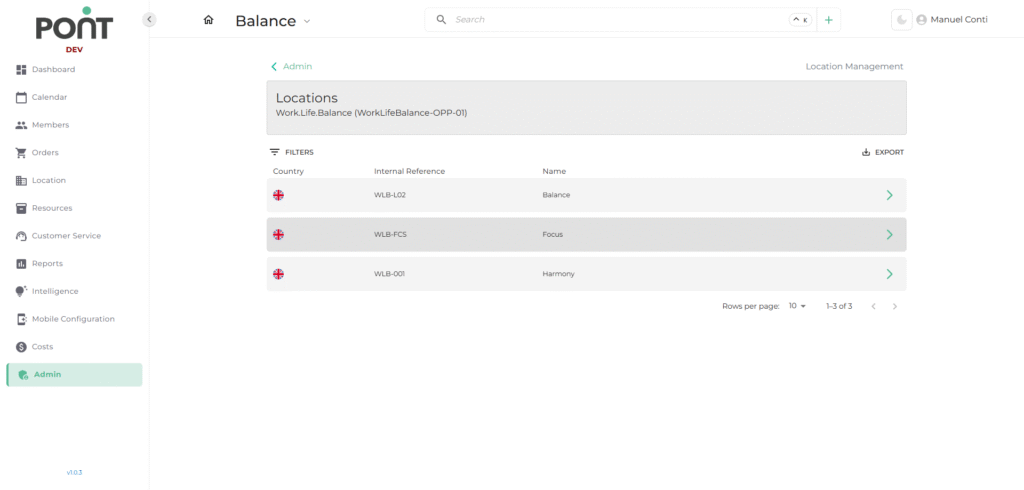
The Location Management section under the Admin module provides a centralized way to manage all physical workspace locations. It allows administrators to create, view, and edit location details, ensuring each site is set up with complete operational and marketing information.
📄 1. Location List
This section displays all the existing locations in the system.
✨ Key Features
- Filter Locations by country.
- Search and sort for quick access.
- Export location list for reporting or backup.
- Quick Actions for viewing or editing location details.
📑 Fields in Location List
- Country – Shows the country where the location is registered.
- Internal Reference – Displays the unique system-generated identifier.
- Name – Represents the official location name.
➕ 2. Add New Location
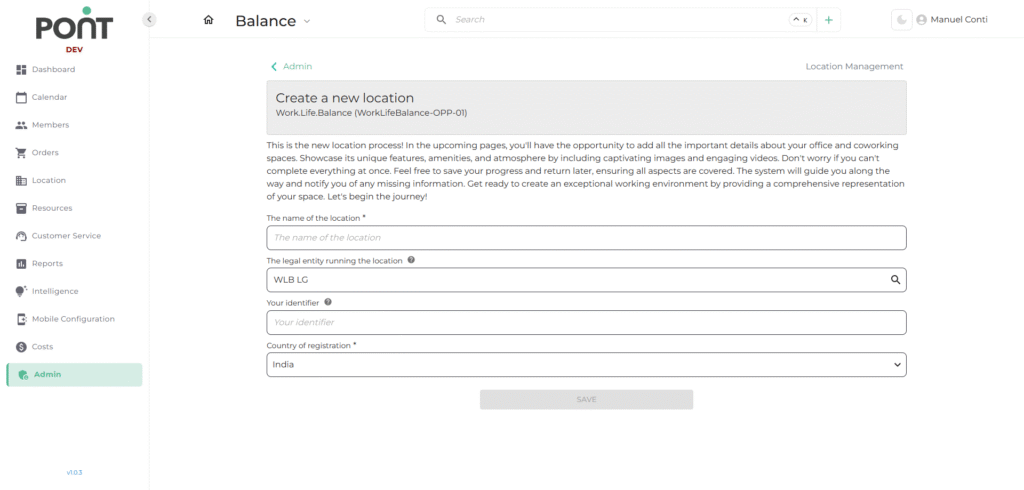
This section allows administrators to create a new location with essential business and legal information.
📑 Fields in Add Location
- Name of the Location – Defines the official name of the location.
- Legal Entity – Links the location to the legal business entity managing it.
- Identifier – Unique reference code used internally.
- Country of Registration – Specifies the country in which the location is legally registered.
✏️ 3. Edit Location
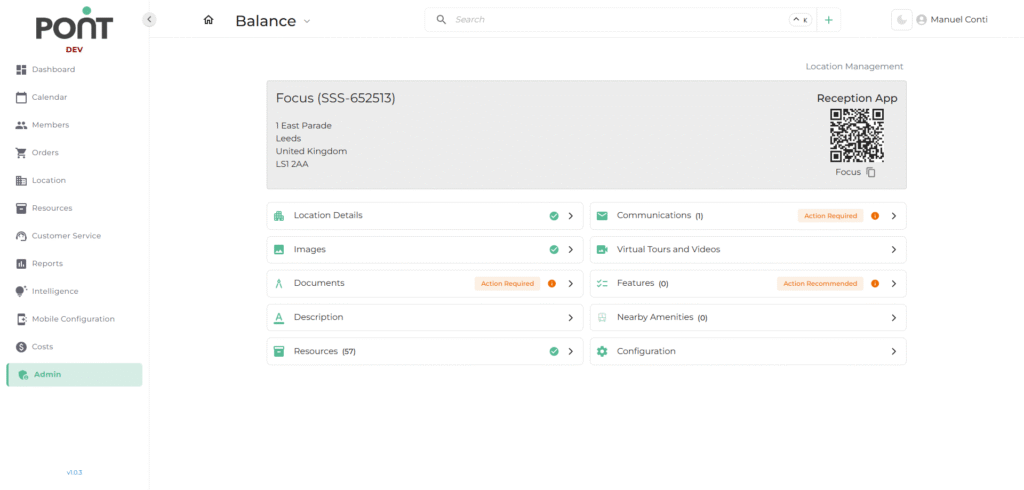
Editing a location provides access to multiple subsections to configure details, ensuring each site has complete operational, branding, and functional data.
📑 Subsections in Edit Location
- Location Details – Manage address, postal code, city, and other core identifiers.
- Images – Upload and manage photos that represent the space visually.
- Documents – Attach legal, lease, or compliance files related to the location.
- Description – Add textual content describing the location and its offerings.
- Resources – Link desks, rooms, and other bookable resources to the location.
- Communications – Configure contact details, phone numbers, and emails.
- Virtual Tours and Videos – Embed media for marketing and client engagement.
- Features – Add highlights like Wi-Fi, café, parking, or other amenities.
- Nearby Amenities – List surrounding facilities for better visibility to clients.
- Configuration – Adjust advanced operational settings tied to the location.