Event’s Overview
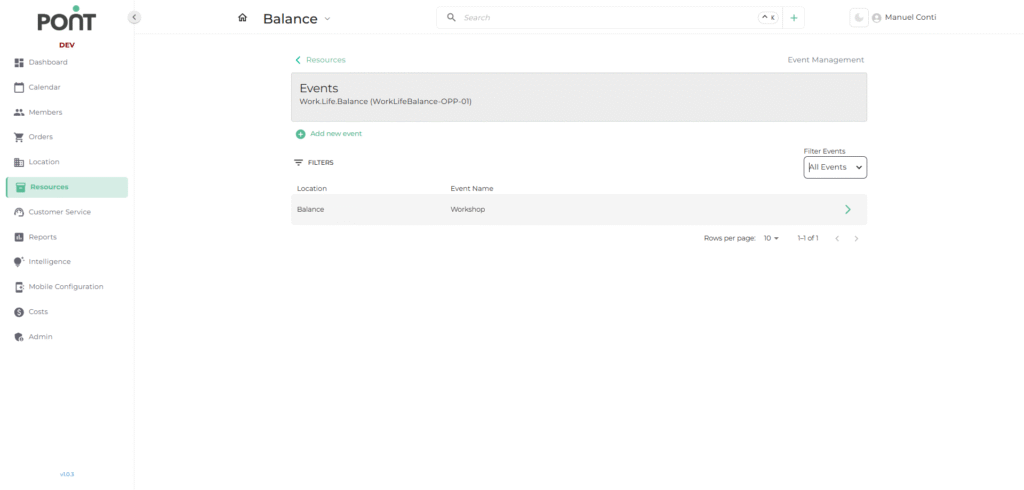
The Events Overview section under the Resources module provides a centralized view of all scheduled events — both online and in-person events like Workshops, Meetups, Special Activities etc. It allows operators to efficiently manage upcoming and past events, track ticket allocations, and make updates.
🔑 Key Features
- Filter Events: View all events or filter by specific types (e.g., Past Events, Future Event, All events).
- Search by Name: Quickly locate an event by typing its name.
- Clear All: Reset all filters to display the full list of events.
- Quick Actions:
- ➕ Add New Event: Create a new event.
- ➡ Expand Icon: View or edit details of a specific event.
📑 Fields in the Event List
- Event Name: The official title of the event.
- Location: Displays the venue (for in-person) or identifies it as online.