Event Details
➕ Add Event
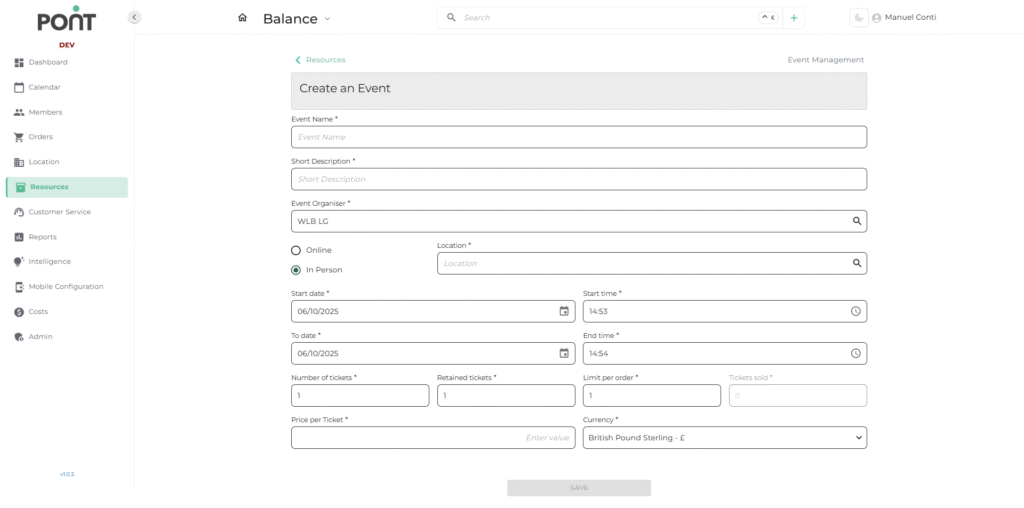
The Add Event page enables operators to create and configure new events, defining essential details for smooth registration and management.
📝 Basic Details
- Event Name: The official name of the event displayed to participants.
- Short Description: A brief summary of the event’s purpose or theme.
- Legal Entity: Choose the legal entity of event
- Event Organiser: The individual or team managing the event.
- Event Type: Choose between Online or In-Person to specify the event format.
- Location: Defines the venue for in-person events (optional for online events).
- Start Date / Start Time: The beginning schedule of the event.
- End Date / End Time: The closing schedule of the event.
- Number of Tickets: Total tickets available for the event.
- Retained Tickets: Reserved tickets that are not available for general sale.
- Limit per Order: Maximum number of tickets that a single customer can purchase in one order.
- Price per Ticket: The cost for each ticket.
- Currency: The currency in which tickets are sold.
✏️ Edit Event
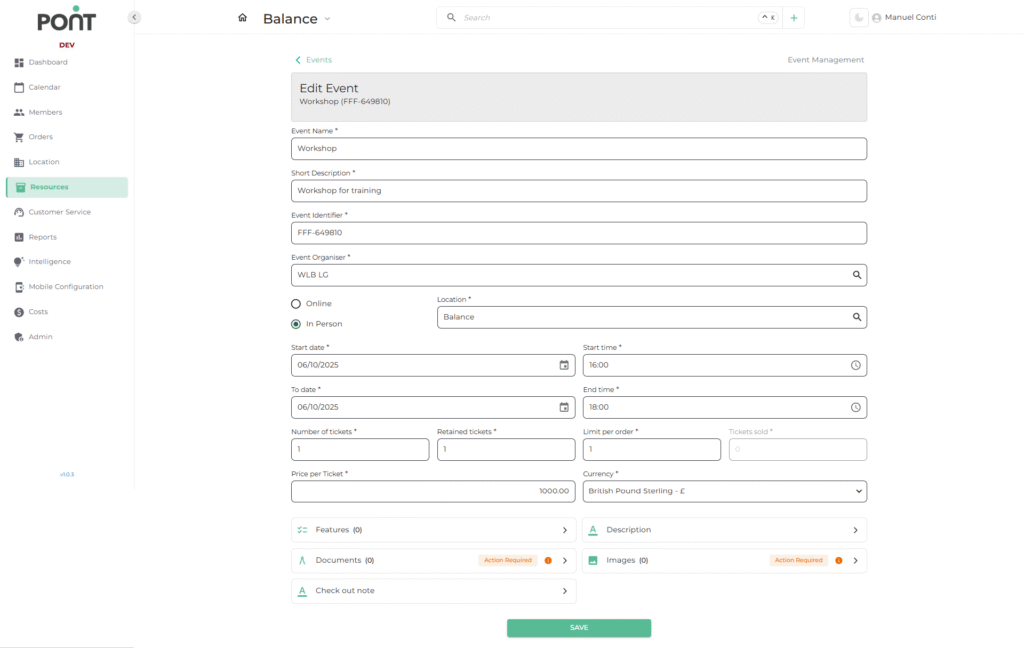
The Edit Event page allows operators to modify all aspects of an existing event, ensuring details remain accurate and up to date.
📎 Additional Sections
- Event Identifier: Displays unique event identifier
- Features: Highlight key features or details (e.g.,Catering, Member Interests or Dress code).
- Documents: Upload event-related files (e.g., Joining Instructions, Terms and Conditions, Health & Safety, Other Documents).
- Description: Provide a detailed overview of the event for marketing or internal reference.
- Images: Add promotional visuals (e.g. Attach Main or Additional Images).
- Check-Out Note: Include post-event information or instructions for attendees.