Edit Pass
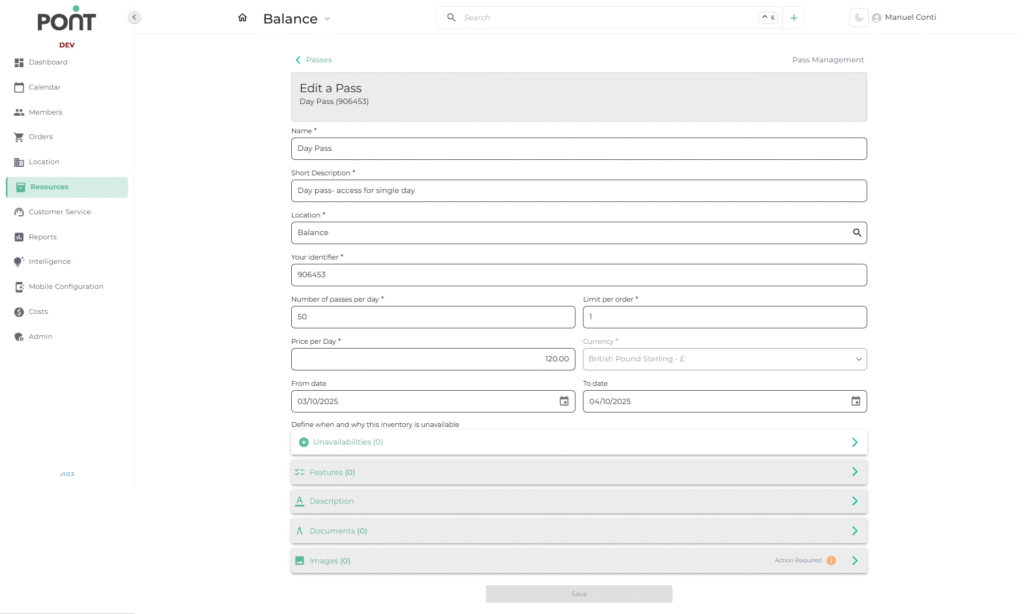
The Edit Pass feature allows operators to modify existing passes, including their details, availability, pricing, and supporting materials. Keeping pass details updated ensures accurate booking and resource management.
🔑 Key Fields
- Name – The official title of the pass visible to both customers and staff.
- Short Description – A brief explanation of the pass and its purpose.
- Location – The specific branch or site where the pass is applicable.
- Your Identifier – A unique reference code for internal tracking of the pass.
- Number of Passes per Day – The maximum number of passes available for use each day.
- Limit per Order – The maximum quantity of passes a single customer can purchase in one order.
- Price per Day – The cost of the pass for one day of use.
- Currency – The currency in which the pass is priced (e.g., GBP, USD, EUR).
- From Date / To Date – The validity period during which the pass is active and available for sale.
- Unavailabilities – Allows specifying dates and reasons when the pass is temporarily unavailable.
- Features – Lists additional characteristics or benefits associated with the pass.
- Description – A detailed explanation or notes about the pass.
- Documents – Supporting files such as terms, usage instructions, or guidelines.
- Images – Visual representations of the pass for display in customer-facing interfaces.
🚫 Add New Unavailability
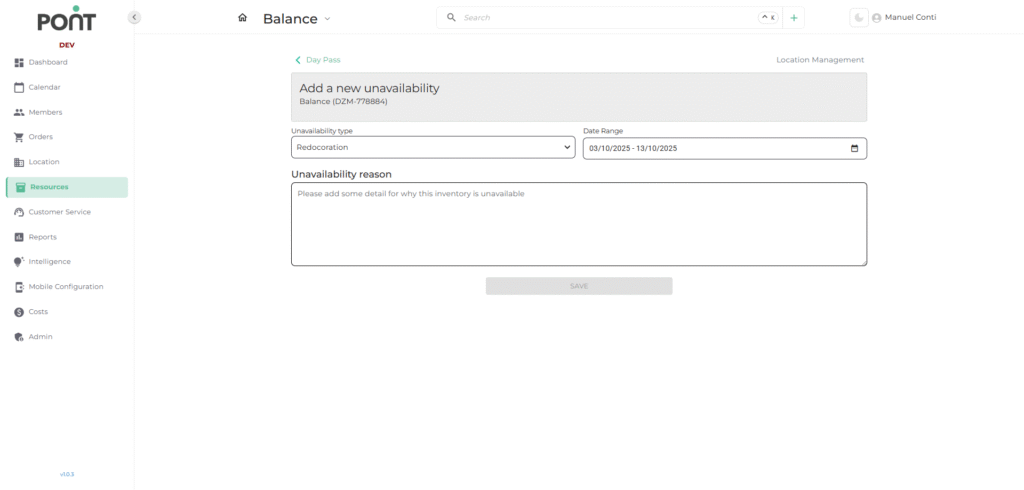
The Add New Unavailability feature helps operators manage temporary restrictions on pass usage, ensuring accurate availability for bookings.
🔑 Key Fields
- Unavailability Type – Specifies the reason for restricting the pass (e.g., Maintenance, Redecoration).
- Date Range – Defines the start and end dates when the pass will be unavailable.
- Unavailability Reason – Provides a short explanation of why the pass is not available during the selected period.