Location Configuration
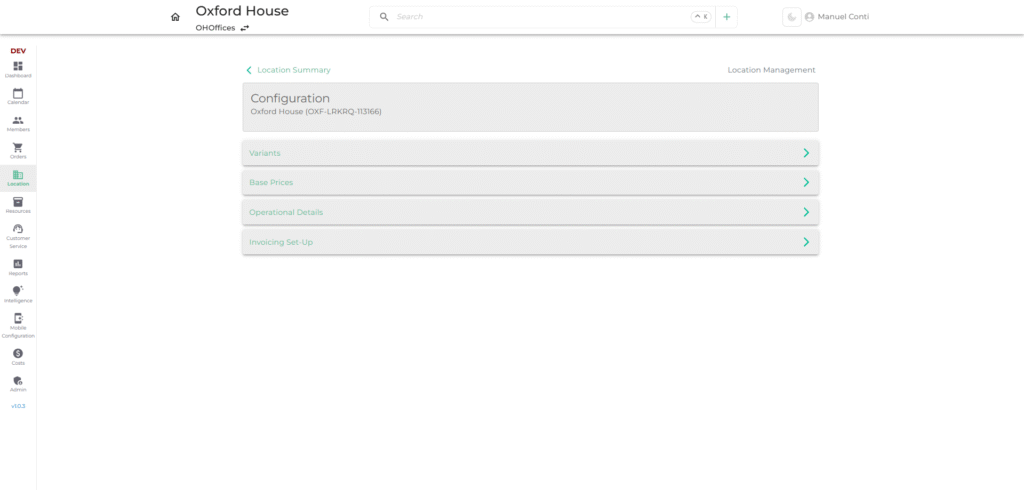
The Configuration section defines how each location is set up for inventory, pricing, operations, and invoicing. This ensures locations run smoothly, with consistent rules applied across systems.
1. 📁 Variants
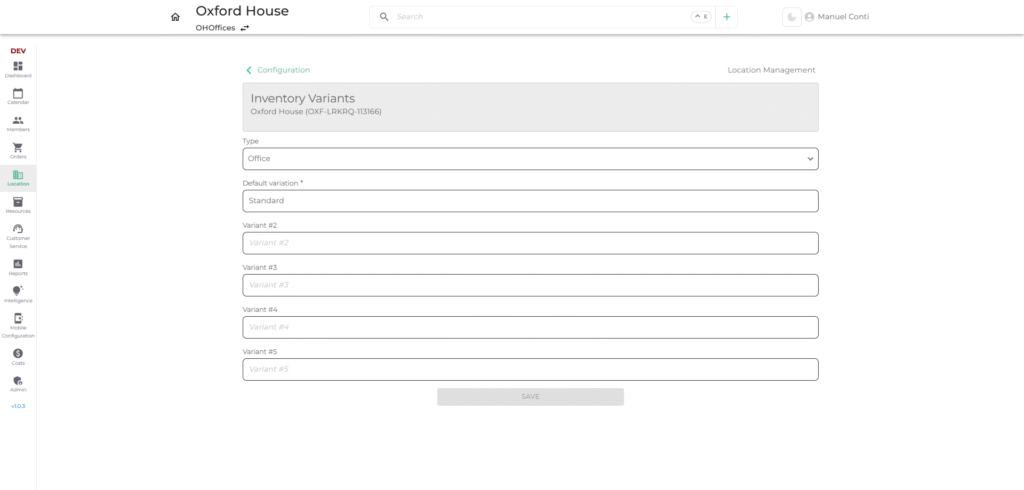
Purpose: Define different inventory types and their variations.
- Type – Select inventory type (e.g., Office, Desk, Meeting Room, Locker etc).
- Default Variation – Primary option available for the location.
- Variant #2 – #5 – Optional additional variations (e.g., Standard, Premium, Executive).
✅ Use Case: Allows defining product options like “Office – Standard” vs “Office – Premium”.
2. 💰 Base Prices
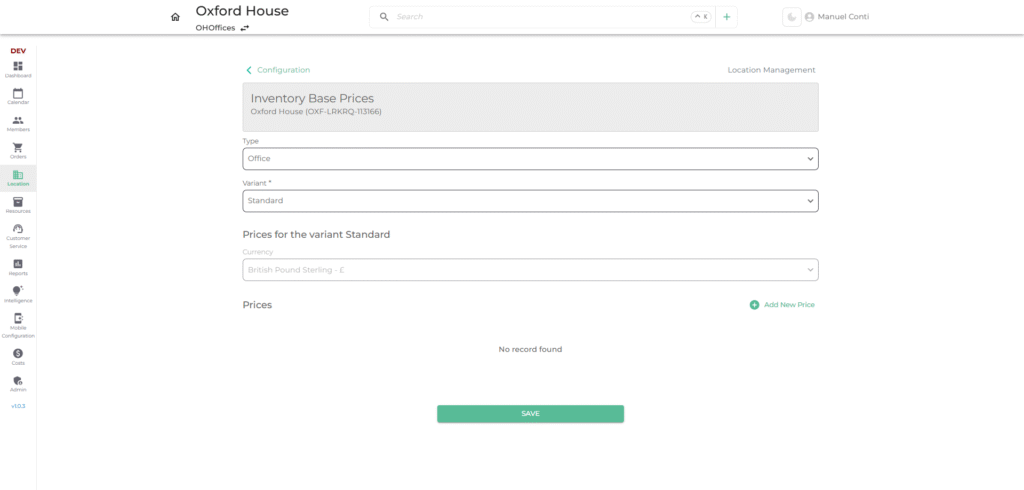
Purpose: Set default pricing for each variant.
- Type & Variant – Choose which inventory variant pricing applies to.
- Currency – Pricing currency for the location.
- Prices – Define charges for selected variant.
➕ Add New Price
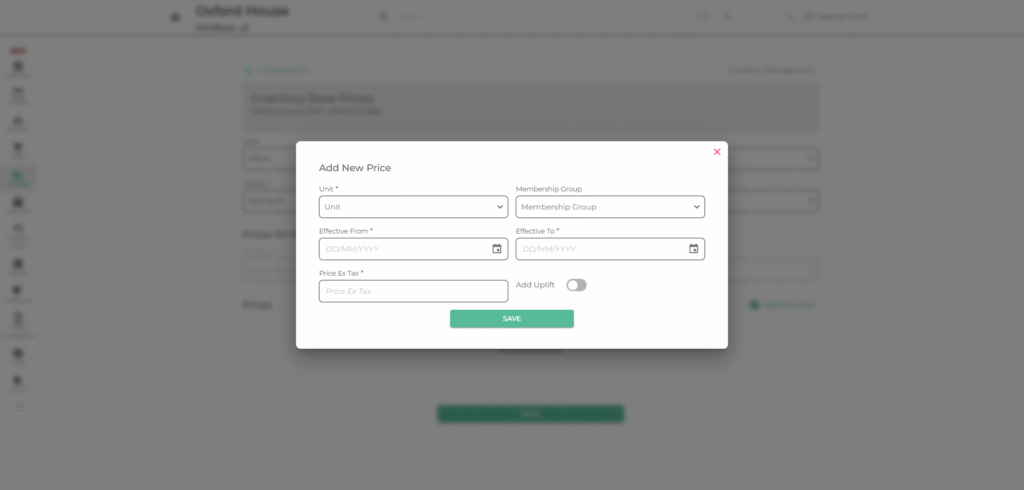
- Unit – Unit of pricing (hour, day, month).
- Membership Group – Apply pricing to specific customer groups.
- Effective From / To – Define active duration for pricing.
- Price Ex Tax – Base price before tax.
- Add Uplift – Apply uplift amount and unit if needed.
✅ Use Case: Configure flexible pricing models (monthly rent, day-pass pricing, discounts).
3. ⚙️ Operational Details
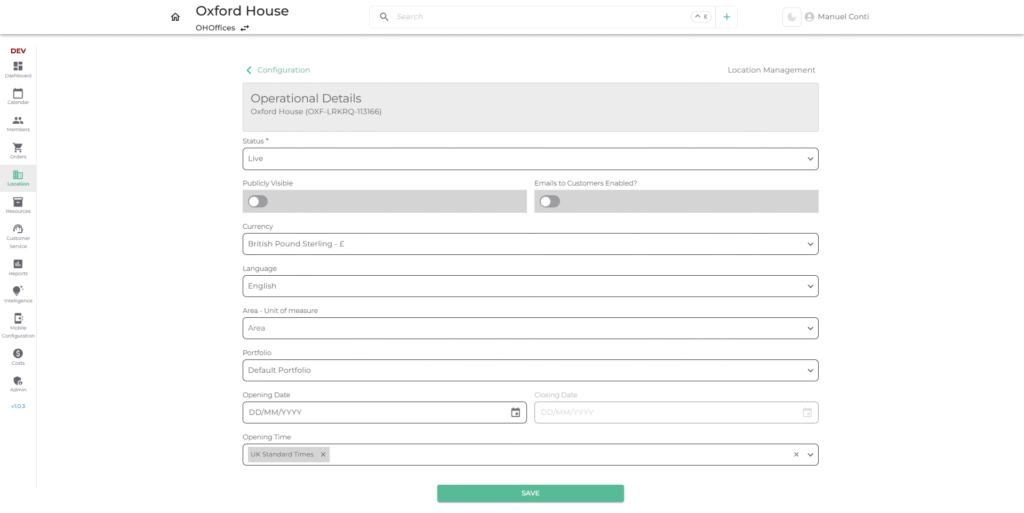
Purpose: Configure general settings for location operations.
- Status – Set location status (Live / Pending/ Deactivated/ Closed).
- Publicly Visible – Toggle whether customers can see this location.
- Emails to Customers Enabled – Enable automated email notifications.
- Currency – Default billing currency.
- Language – Primary language for communication.
- Area (Unit of Measure) – Define area metrics (sq ft / sq m).
- Portfolio – Assign to a portfolio group.
- Opening & Closing Date – Define lifecycle of the location.
- Opening Time – Set operational hours.
✅ Use Case: Control visibility, currency, and operational timing of each location.
4. 🧾 Invoicing Set-Up
1. ⚙️ Settings
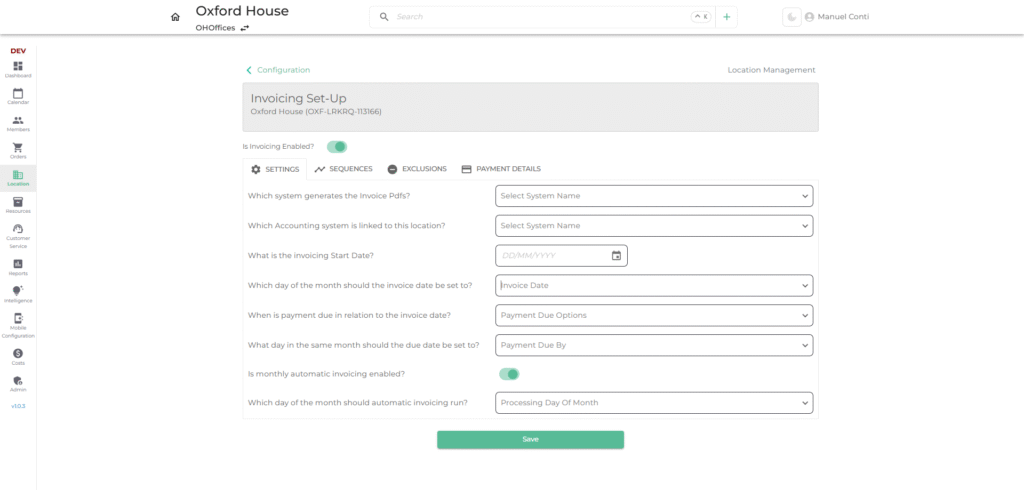
- Purpose: Define how invoices are generated, scheduled, and automated.
- Key Fields:
- Invoice System Generator → Selects which system creates invoice PDFs.
- Accounting System → Links invoices to a financial system.
- Invoicing Start Date → Defines from when invoicing should begin.
- Invoice Date Rule → Configures which day of the month invoices are created.
- Payment Due Options → Sets due dates in relation to invoice dates.
- Automatic Invoicing → Enables monthly recurring invoice generation.
- Processing Day → Defines which day of the month automation runs.
2. 📊 Sequences
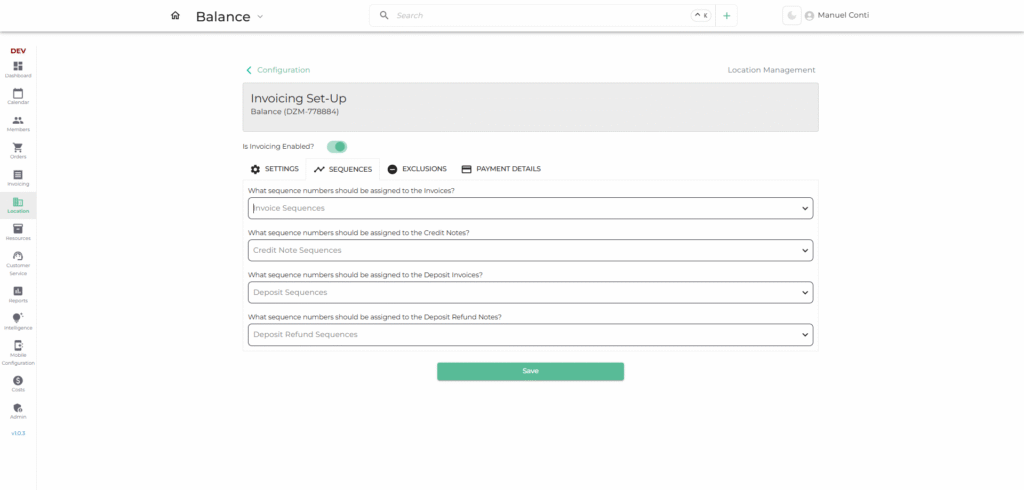
- Purpose: Maintain unique numbering for different financial documents.
- Key Configurations:
- Invoice Sequences → Numbers invoices in a structured order.
- Credit Note Sequences → Assigns sequence to issued credit notes.
- Deposit Invoice Sequences → Handles deposit invoice numbering.
- Deposit Refund Sequences → Manages numbering for refunds.
This ensures audit compliance and prevents duplicate document numbers.
3. 🚫 Exclusions
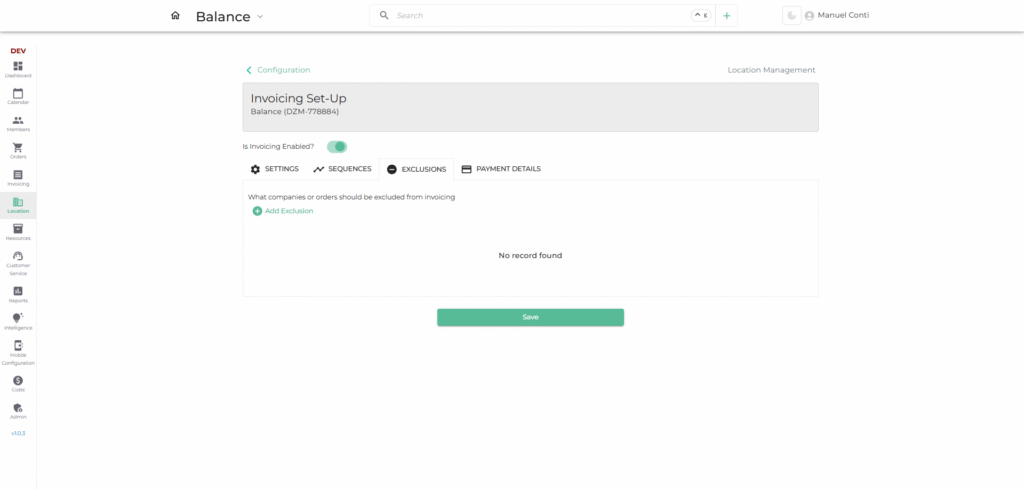
- Purpose: Exclude specific companies or orders from invoicing rules.
- Key Features:
- Add exclusions for companies/orders that should not generate invoices.
- Useful for internal test accounts, partner companies, or waived billing agreements.
4. 💳 Payment Details
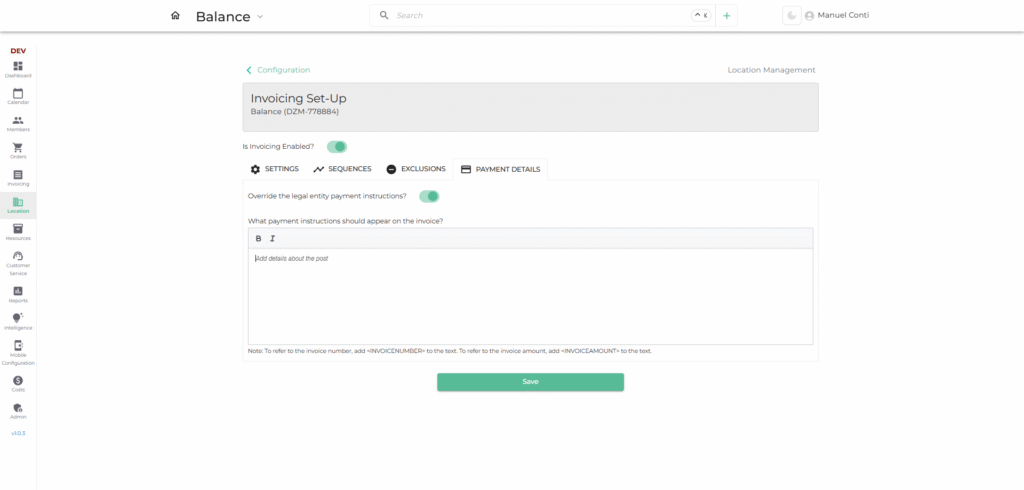
- Purpose: Define custom payment instructions that appear on invoices.
- Key Options:
- Override Legal Entity Instructions → Allows location-specific payment terms.
- Custom Payment Instructions → Text field to include bank details, references, or specific payment notes.
- Dynamic Fields Support:
<INVOICENUMBER>→ Auto-inserts invoice number.<INVOICEAMOUNT>→ Auto-inserts payable amount.
Ensures clarity for customers on how and where to pay.