Add Order
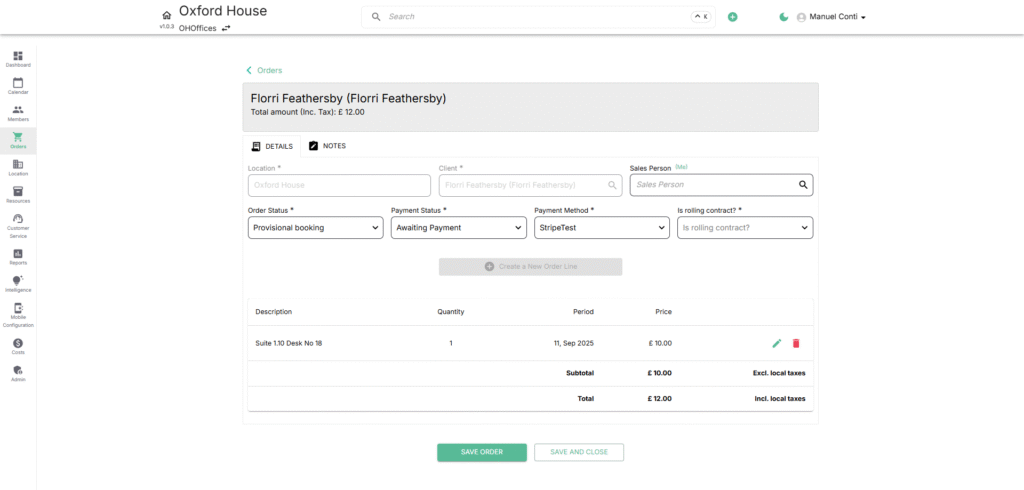
The Add Order page is where you define the core structure of an order, linking members or companies to services, billing, and payment terms. Each order has two key sections: Details and Notes.
🔹 Order Details Tab
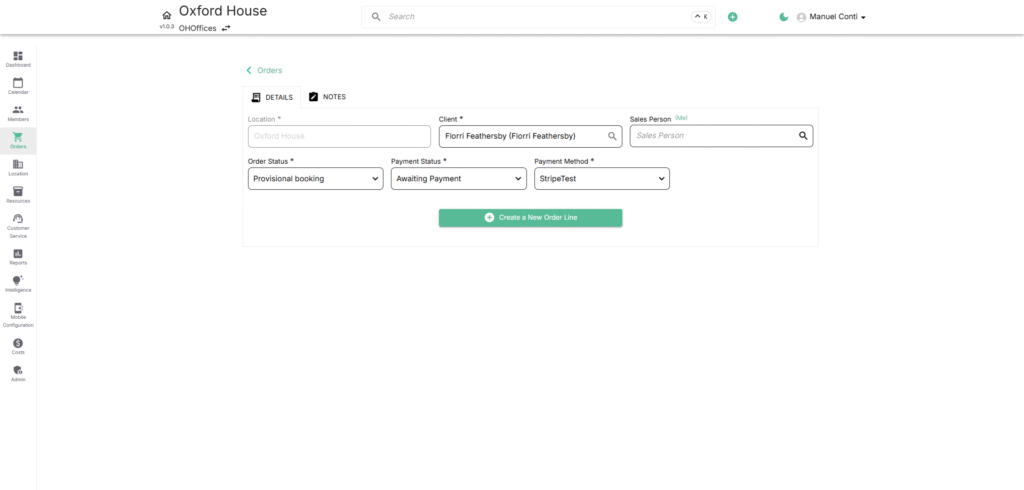
This tab captures the contract, billing, and payment information for the order.
- Location*
Auto-filled with the workspace/venue where the order applies. Ensures the correct site is linked. - Client*
The member or company the order is tied to. Defines billing responsibility and linked services. - Sales Person
The staff user handling the order. Helps track performance and accountability. - Order Status*
Defines the state of the order (e.g., Provisional Booking, Draft Order, Confirmed Booking). Status drives visibility and billing actions. - Payment Status*
Tracks the financial stage of the order (e.g., Awaiting Payment, Paid, Overdue). Ensures revenue recognition. - Payment Method*
The payment channel used (e.g., Stripe). Essential for invoicing and reconciliation. - Is Rolling Contract?*
Toggle to indicate if the order auto-renews. Useful for recurring memberships and long-term agreements. - Create a New Order Line
Add specific services/products (e.g., desk, office, bandwidth, deposits). Each order can have multiple lines.
🔹 Notes Tab
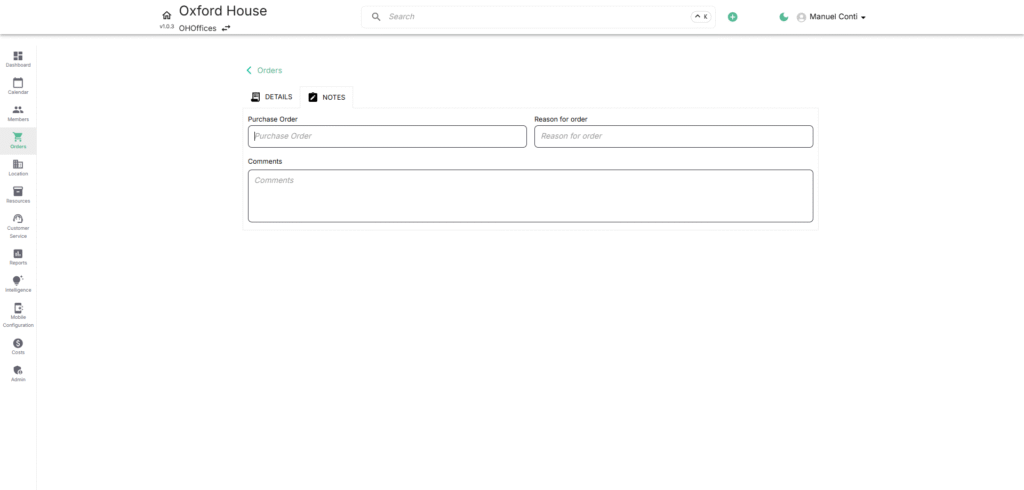
This tab captures contextual details and additional references for operators.
- Purchase Order
Internal or external purchase order reference. Useful for B2B billing alignment. - Reason for Order
Explanation for the order’s creation (e.g., renewal, upsell, move-in). Adds clarity for finance and sales. - Comments
Free text field for additional notes. Helps capture unique terms or customer requests.
➕ Add Order Line
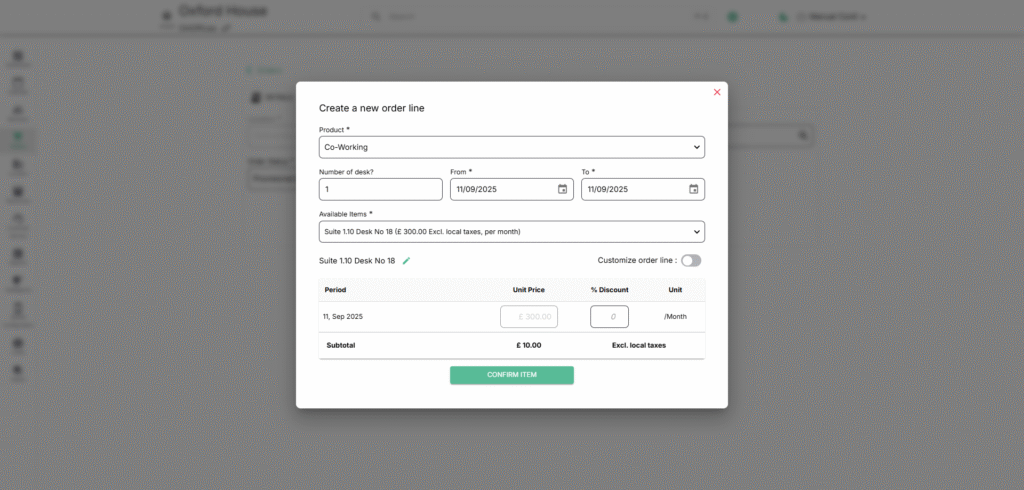
The Order Line is where you define the specific products or services tied to an order. Each order can contain one or more order lines, covering desks, offices, meeting rooms, bandwidth, or other billable services.
📋 Fields in Add Order Line
- Product*
Select the product or service being purchased (e.g., Co-working, Office, Meeting Room, Locker). Defines billing rules. - Number of Desk?
Specify quantity for desk-based products. Adjusts capacity and billing accordingly. - From*
Start date of the order line. Determines when billing begins. - To*
End date of the order line. Defines contract duration and termination point. - Available Items*
Dropdown of available resources (e.g., Suite, Desk No., Meeting Room). Ensures only unallocated resources are booked. - Customize Order Line (Toggle)
Enables advanced editing of pricing, discounts, or billing periods. Useful for tailored contracts. - Period
Displays the active billing period. Generated automatically based on the chosen dates. - Unit Price
Price per billing cycle (e.g., £300.00 / Month). Pulled from product configuration but editable when customization is enabled. - % Discount
Apply a percentage discount directly to the line item. Supports promotions or negotiated rates. - Unit
Shows billing frequency (e.g., /Month, /Day). Matches product setup. - Subtotal
Automatically calculates total cost for the line, excluding local taxes.
✅ Actions
- Confirm Item
Adds the order line to the order. Multiple lines can be added to cover multiple products/services.