Visitor Details
✨ Key Features
- Add and edit visitors with essential details.
- Assign visitors to customers, members, or companies.
- Track real-time visitor status: Checked-In or Checked-Out.
- Log car registrations, notes, and visit purposes.
➕ Add and Update Visitor
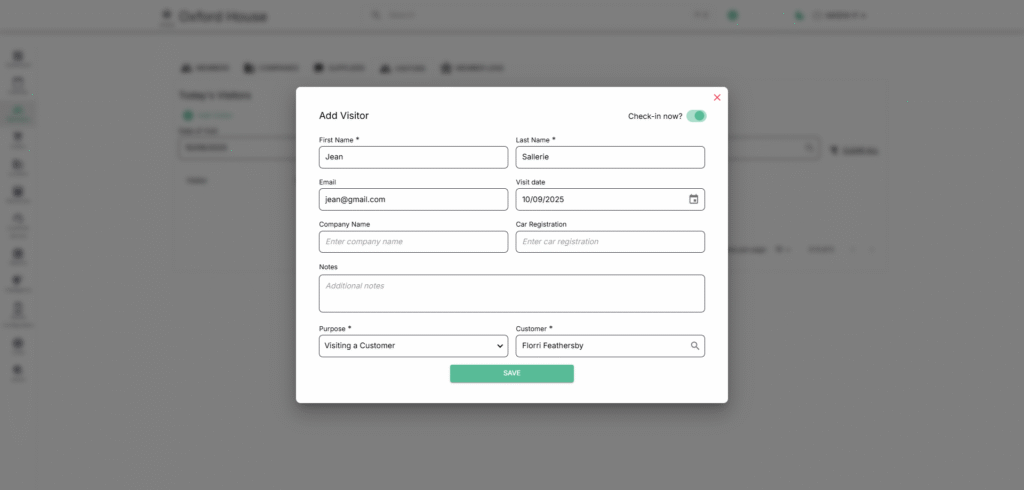
Capture visitor details before or at the time of entry.
Fields:
- First Name * – Visitor’s first name (required).
- Last Name * – Visitor’s last name (required).
- Email – Contact email for record or communication.
- Visit Date * – Date of the visit (required).
- Company Name – Organization visitor represents (if any).
- Car Registration – For parking/security tracking.
- Notes – Additional visit information.
- Purpose * – Reason for visit (required).
- Customer * – Member/customer being visited (required).
- Check-in Now? – Toggle to log the visitor in immediately.
✅ Check-In Flow
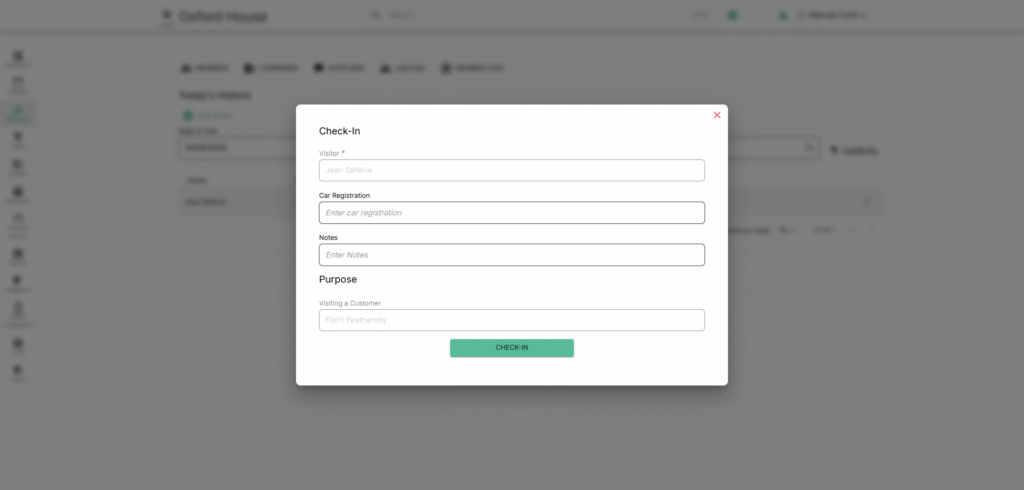
Visitors can be checked in at entry if not already auto-checked.
Fields:
- Visitor * – Pre-populated visitor name (required).
- Car Registration – Enter visitor’s car details (optional).
- Notes – Special instructions or remarks.
- Purpose – Auto-filled with visit purpose and associated customer.
Action:
- CHECK-IN Button – Confirms visitor entry, updates their status to Checked-In on the visitor list, and logs the time.
⏏️ Check-Out Flow
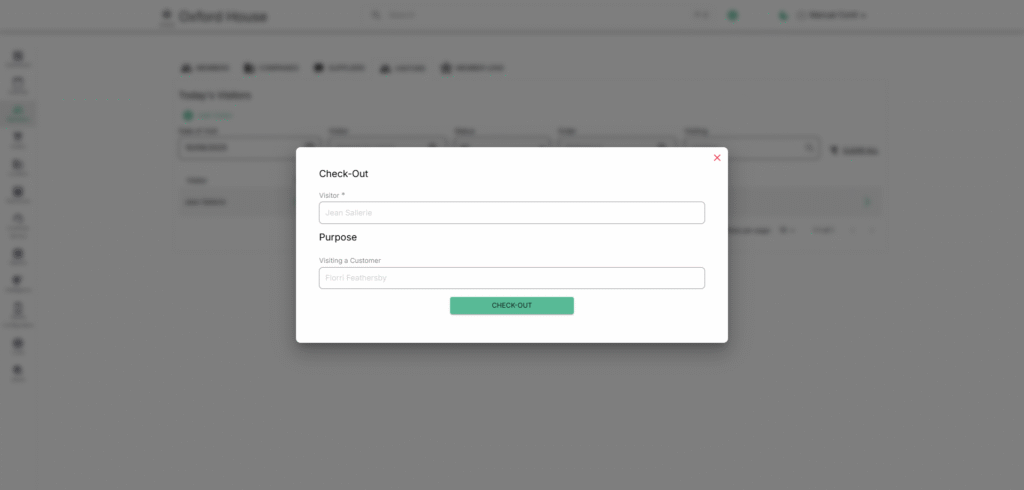
When a visitor leaves, record their exit.
Fields:
- Visitor * – Pre-filled visitor name (required).
- Purpose – Displays visit reason and customer association.
Action:
- CHECK-OUT Button – Marks visitor as departed, updates status to Checked-Out, and logs the time.