Add Member
The Add Member feature allows you to onboard individuals or company contacts into the workspace system. Whether they are independent members or representatives of a business, this module ensures every person is properly linked with the right company, permissions, and access.
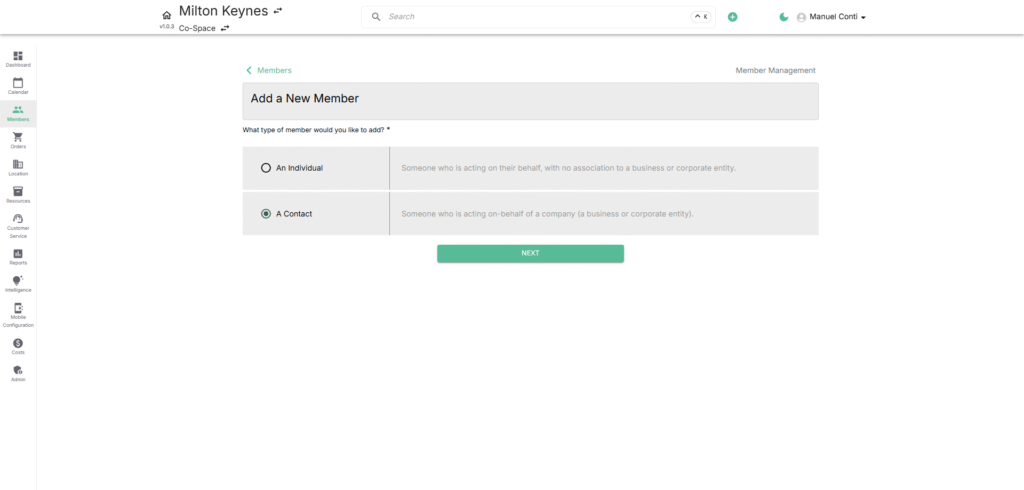
📝 Member Type Options
When adding a new member, you first need to choose the type of member:
- An Individual – A standalone person with no link to a company. Ideal for freelancers or independent professionals.
- A Contact – Someone acting on behalf of a company (business or corporate entity). Best for organizations with multiple employees.
🔑 Field Descriptions
1) For Individual Members
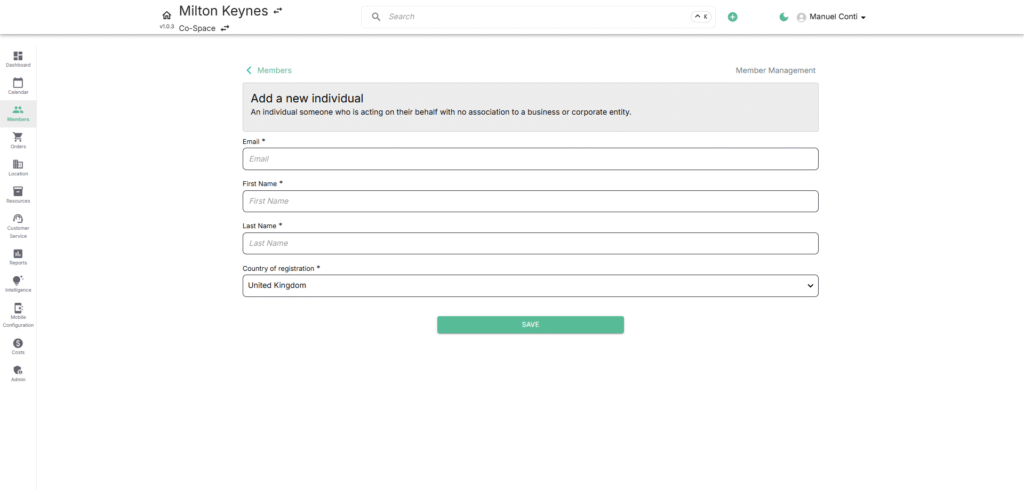
- Email* → Required for communication and system login.
- First Name* → The member’s personal first name.
- Last Name* → The member’s personal surname.
- Country of Registration* → Helps categorize members by geography and compliance requirements.
2) For Contact Members
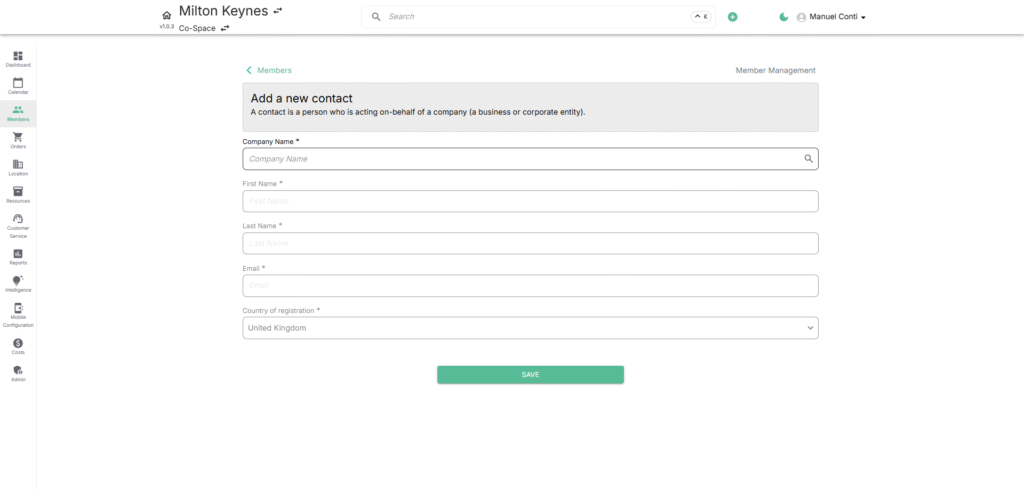
- Company Name* → Select the company this member belongs to. Ensures the member is linked to billing, bookings, and contracts of that business.
- First Name* → The given name of the contact person.
- Last Name* → The surname of the contact.
- Email* → The primary communication email that is used for login access.
- Country of Registration* → The country where the company/member is registered.