Edit Supplier
The Edit Supplier section empowers operators to manage and update supplier records with ease. From company details to communication channels, every piece of supplier information can be adjusted to ensure accuracy and seamless collaboration.
🏢 1. Supplier Details
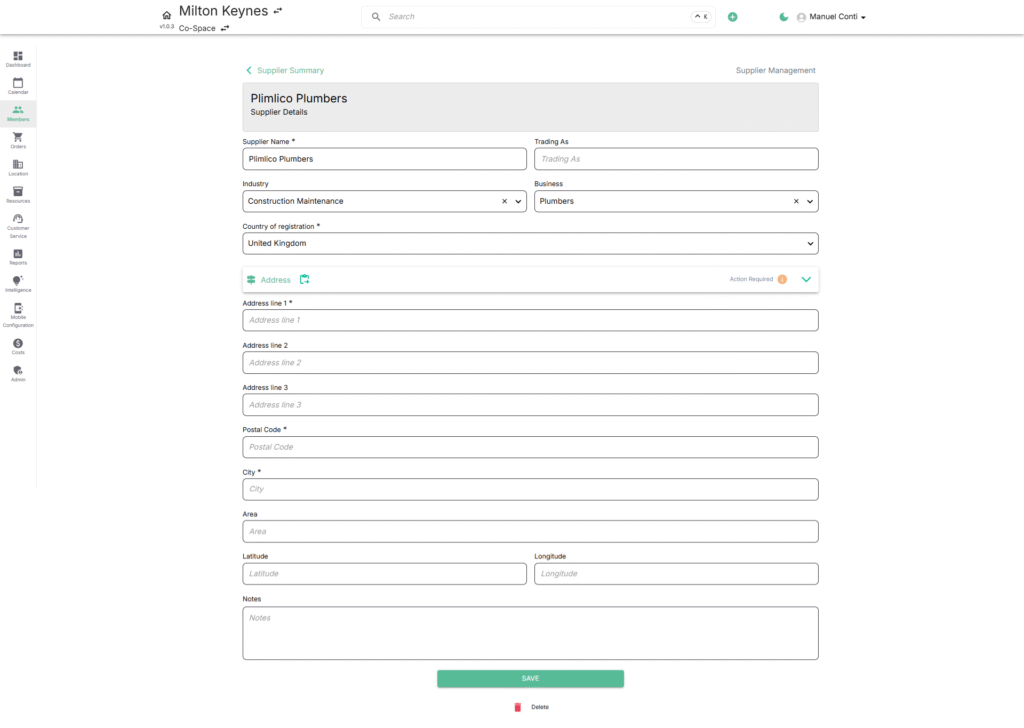
Capture and update the supplier’s core business information:
- Supplier Name – Official registered business name.
- Trading As – Optional alias or commonly used business name.
- Industry & Business – Select industry type and specific business category for better classification.
- Country of Registration – Define where the supplier is legally registered.
- Address – Expandable section to enter multiple address lines, postal code, city, area, and geolocation (latitude & longitude).
- Notes – Add internal remarks for easy reference.
👉 Tip: Address is expandable, allowing multiple addresses if required.
👥 2. Contact Management
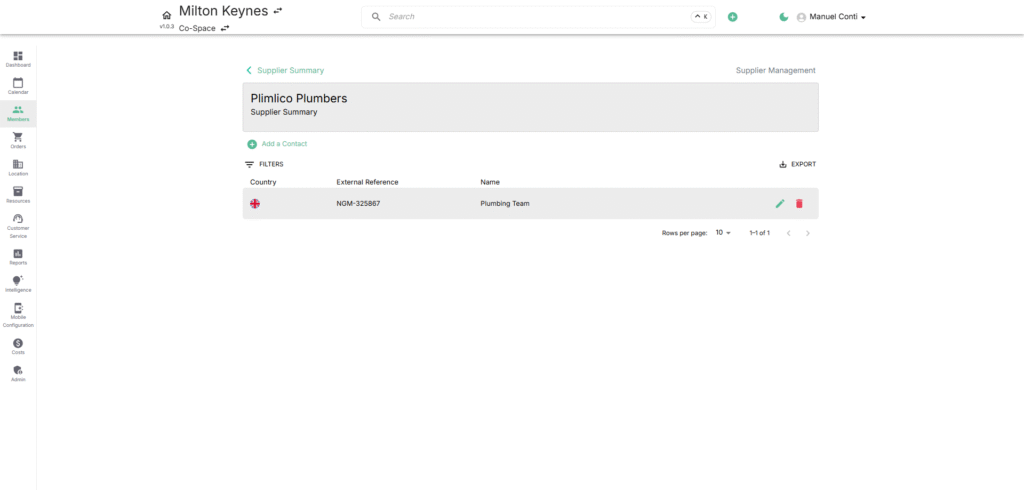
Manage supplier representatives with detailed contact records:
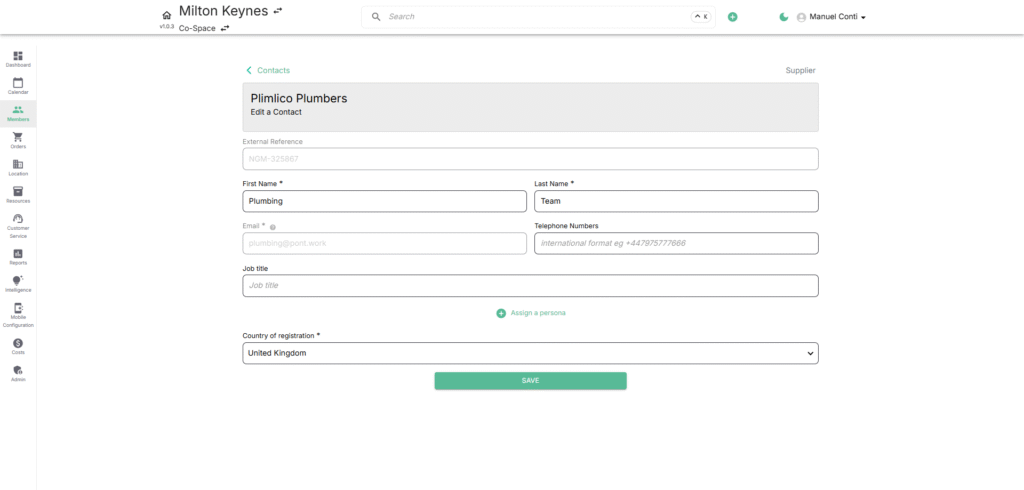
- External Reference – Unique identifier for linking systems.
- First & Last Name – Contact person’s details.
- Email & Phone Numbers – Communication details (supports international format).
- Job Title – Role of the contact.
- Country of Registration – Associated location.
- Persona Assignment – Tag contacts as Decision Maker, Influencer, Billing Contact, etc.
✉️ 3. Communications
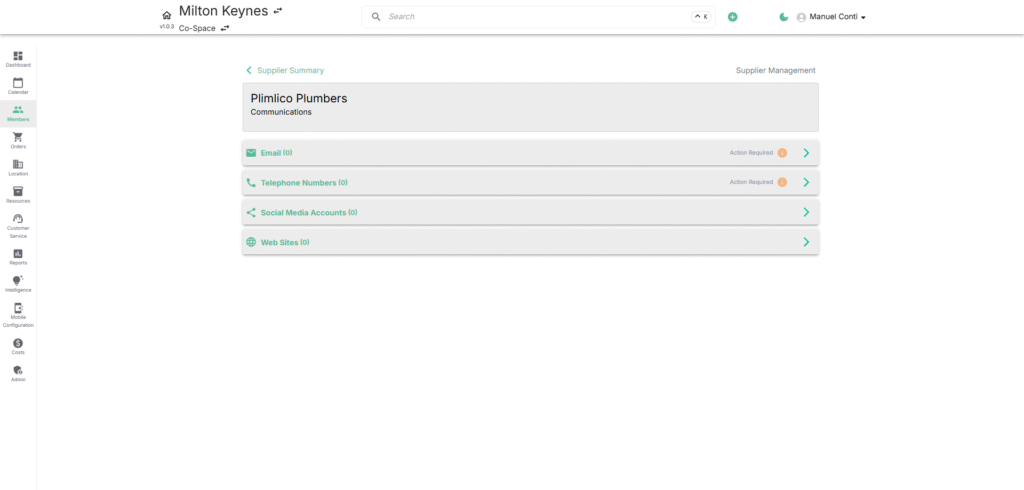
Keep all supplier communication channels documented:
- Emails – Add official email addresses.
- Telephone Numbers – Maintain a list of phone contacts.
- Social Media Accounts – Store social profiles for engagement.
- Websites – Add supplier’s official or support portals.
⚡ Note: Any missing information is flagged as Action Required for follow-up.
🖼️ 4. Images
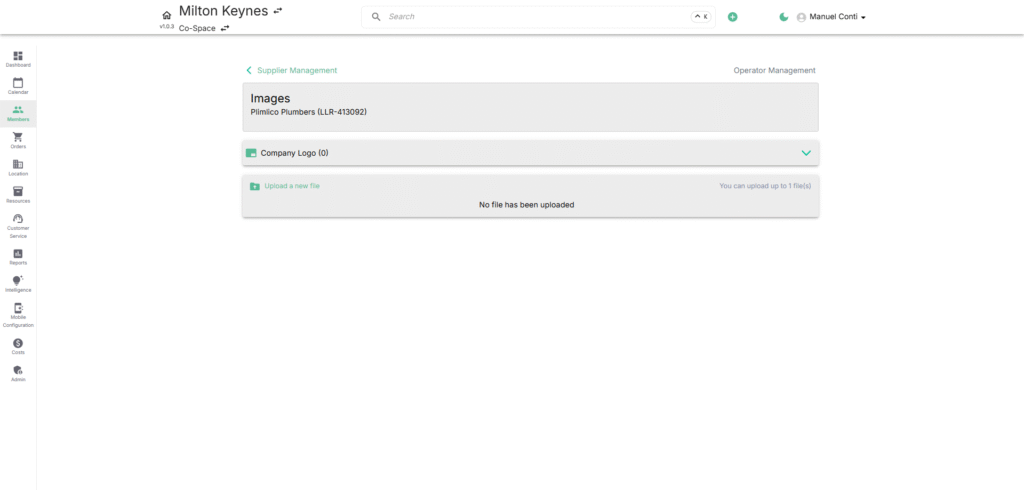
Upload visual identifiers for the supplier:
- Company Logo – Upload up to 1 file (.jpeg, .png).
- Helps in quick recognition of suppliers across the system.
🎟️ 5. Tickets
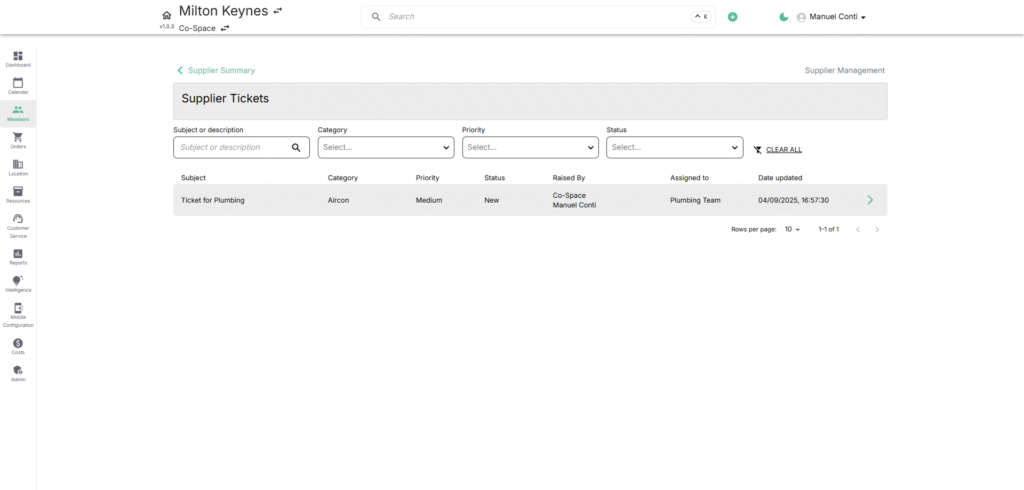
Track service requests and issues raised with suppliers:
- Subject– Short issue summary.
- Category & Priority – Classify and prioritize issues.
- Status – Monitor ticket progress (New, In Progress, Done).
- Raised By / Assigned To – Clearly see responsibility ownership.
- Date Updated – Stay informed on the latest activity.